We’re about halfway through summer, and for most of us, golf season is just getting good. By now, the early-season rust has worn off. Swings are feeling smoother, and your game is just starting to hit its stride — or at least, it should be.
But, if you’re like me, your game might have a few inconsistencies that are costing you on the course. The occasional double chip here, a surprising sliced tee shot out of bounds there. It makes you stop mid-round and wonder: What’s going on? And more importantly, how do I fix it?
To figure it out, you have to evaluate your own game objectively. That is no easy feat.
We all have blind spots, whether we want to admit it or not. Even seasoned players struggle to pinpoint exactly what is costing them strokes, especially when their game feels fine, but the scorecard tells a different story.
That’s where keeping stats can be a game-changer. If you can consistently track what’s happening during your rounds, patterns start to emerge. With this data, you can see where you’re losing strokes and can adjust how you practice and play.
That means lower scores and, ultimately, a lower handicap.
The problem? Tracking stats can be a tedious task — one that many of us abandon somewhere around the fourth hole.
So, I went looking for a better way. A quick search for stat-tracking apps opened up a long list of options. To narrow it down, I looked for an app that could do more than just track numbers. I wanted something that eliminated my need to bounce between apps for yardages, green overviews and stat tracking.
That led me to GolfLogix — a golf GPS app designed to help you practice and play smarter. So I decided to take it out for a full round to see if it could really help lower my scores.
Here’s what I found.
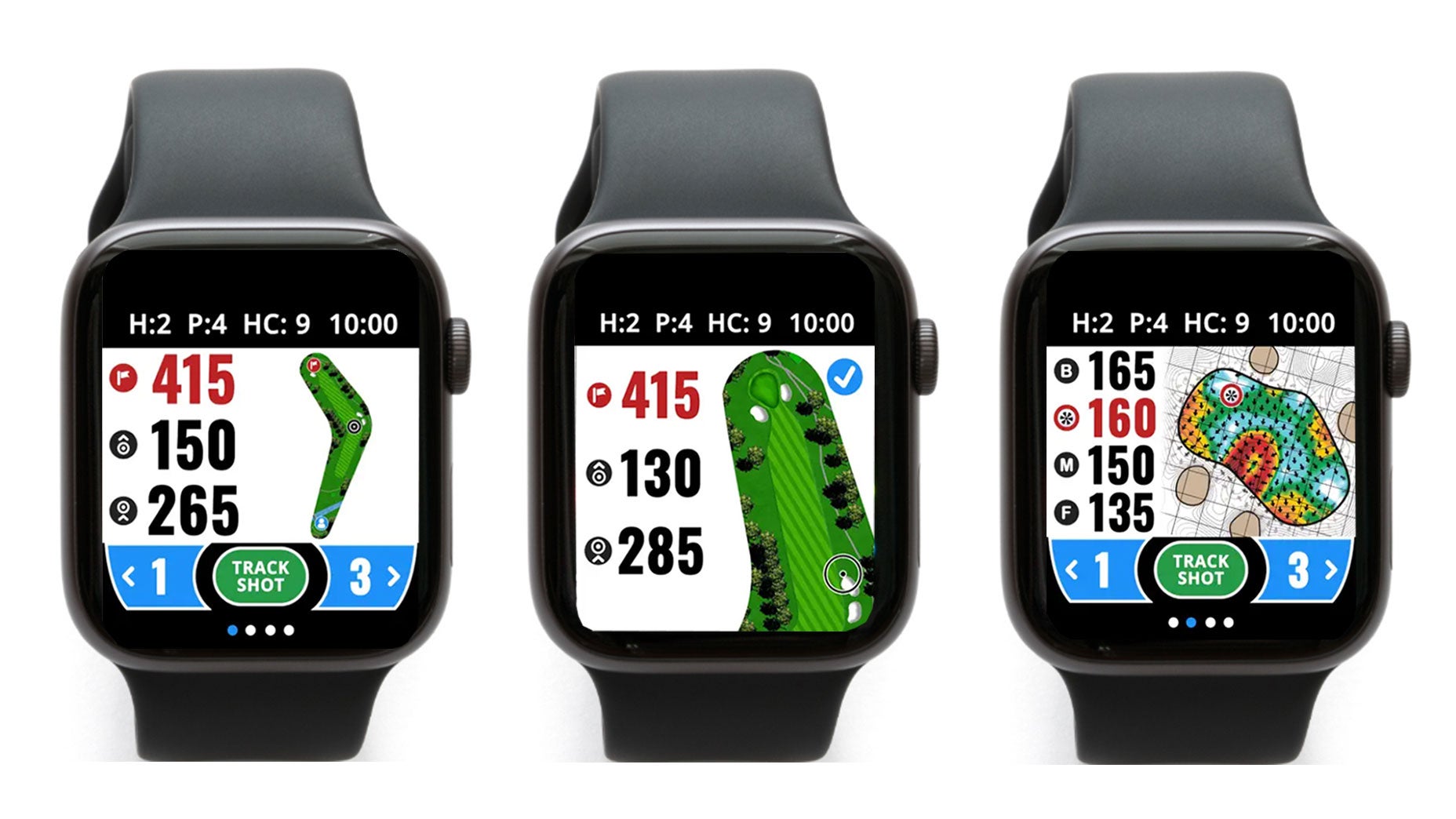
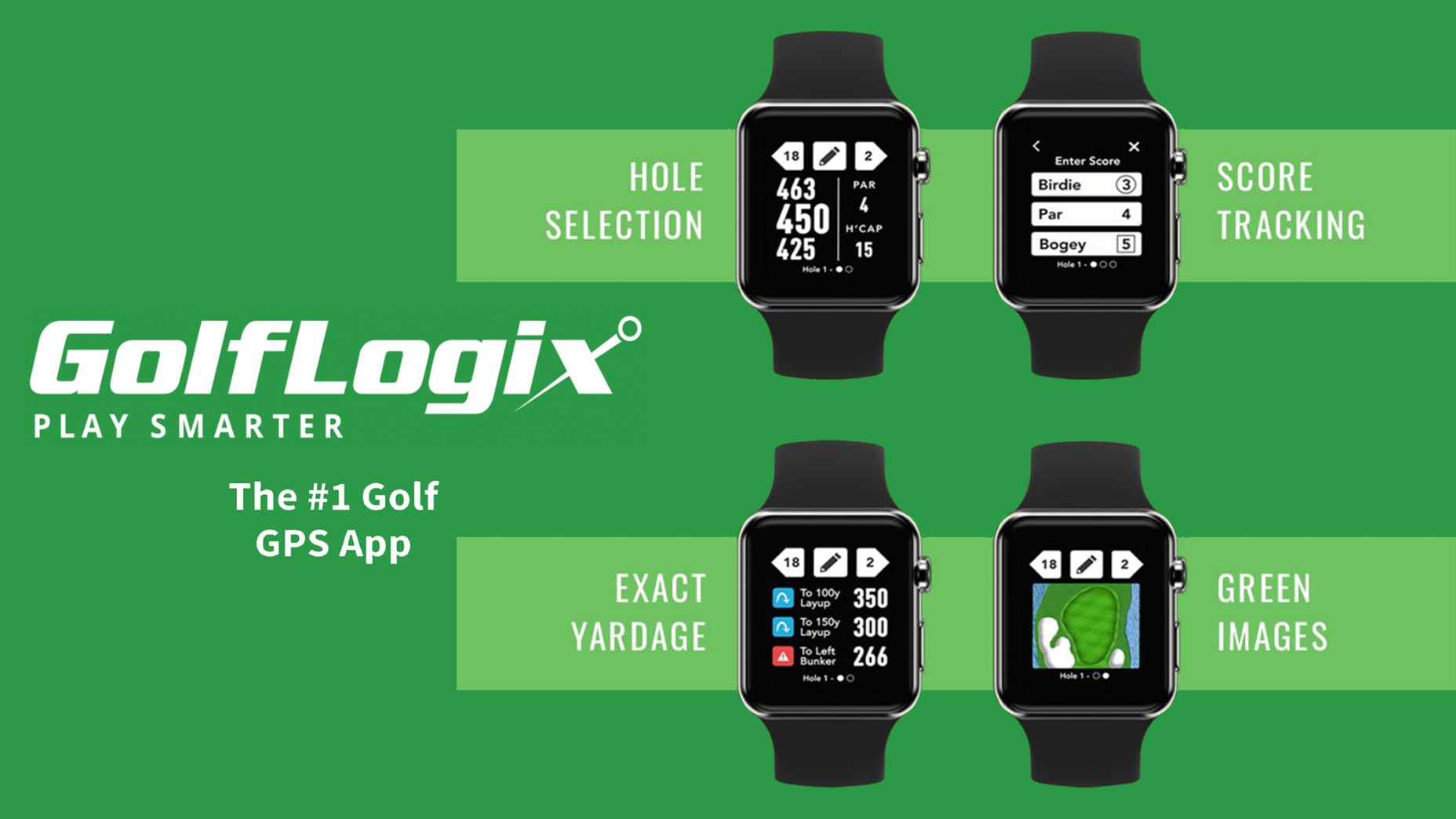
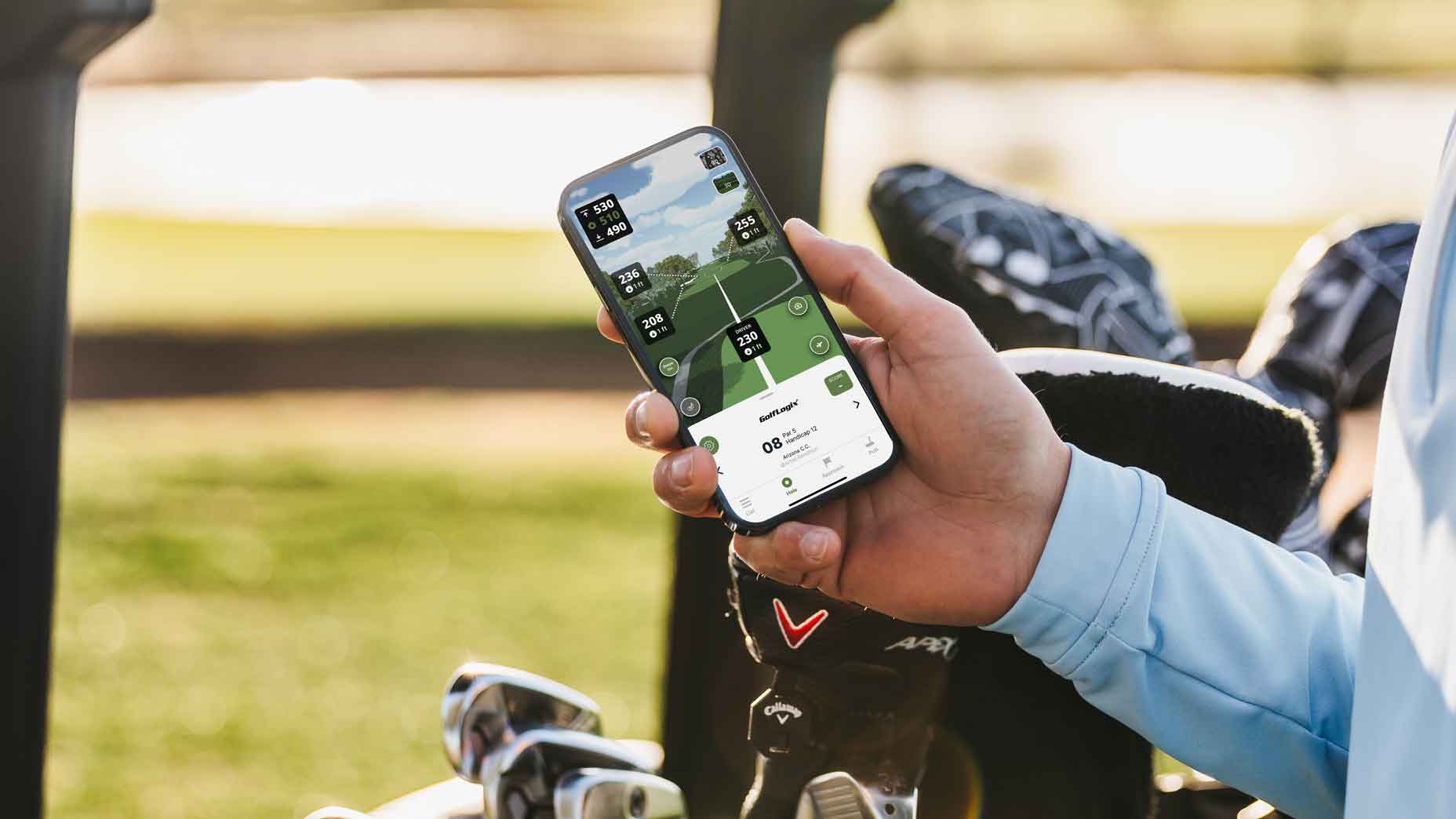
Right away, I was impressed by how intuitive the on-course features felt. The yardages were spot-on, but what really stood out was how much more information I had access to. I wasn’t just getting distances to the green. I could also see how far it was to trees, bunkers and hazards. I could now plan my shots with confidence, knowing exactly what was in play.
Revolutionary 3D features
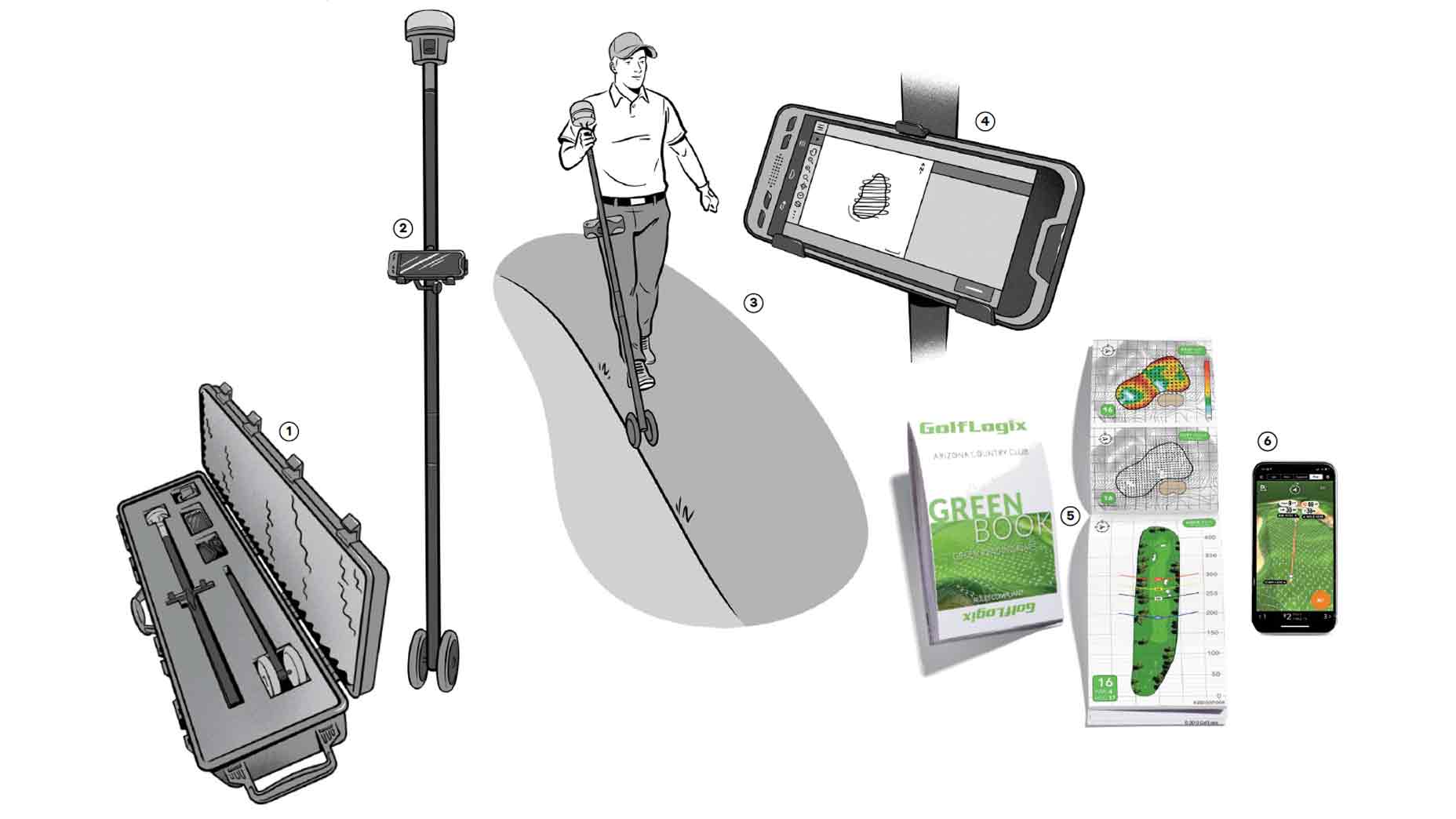
I also tried GolfLogix’s new 3D features — like the virtual flyovers and virtual reality hole previews — which gave me a clear visual of each hole. These tools came in handy on blind shots, making me feel like a local even though it was my first time playing the course.
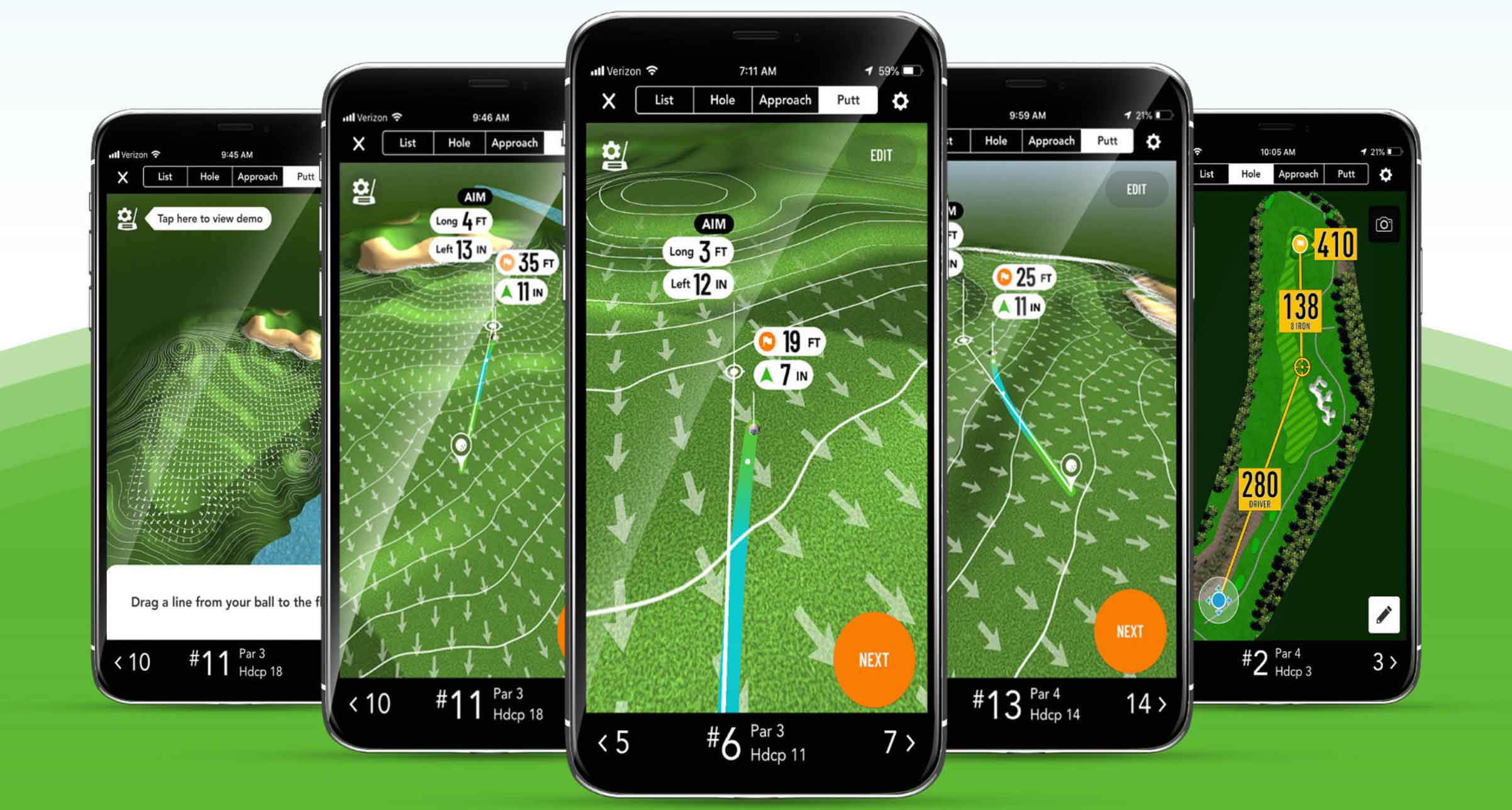
My favorite feature by far was the 3D Approach View. This color-coded heat map shows you exactly how your approach shots will respond to the slopes and contours of the green, and it completely changed how I thought about attacking pins.
Instead of aiming for the center of the green or guessing how shots might react, I could see where the trouble spots were. It displayed false fronts, steep run-offs and even allowed me to see how much room for error I had on tucked pin placements.
With this tool, I wasn’t guessing anymore. I had accurate, real-time yardages to any point on the green, so I could choose smarter landing areas and avoid unnecessary risks. It helped me hit more greens, and more importantly, convert what used to be scrambling bogeys into easy pars.
The 3D Approach View is one of those features that quietly saves you strokes. I didn’t realize how valuable it was until I played a round with it.
Read greens with confidence
Another feature I really came to appreciate was Putt Line.
On tricky greens where I wasn’t sure about the break, it gave me the confidence to commit to a line. All I had to do was mark the pin location and my ball position, and the app instantly gave me a detailed read. It told me how many inches to aim left or right, how far to hit it and even the elevation of the putt. It was like having a Tour caddie in my pocket.
And, if you’re a player who uses AimPoint on the greens, you can even turn on slope percentages to double-check that you’re reading the greens correctly.
Access tour-level stats
Let’s not forget the initial reason I was excited to try GolfLogix, which was for the stat tracking. So, how did it hold up?
From my first tee shot to my final putt, logging stats was surprisingly quick and easy. It only took a few seconds per hole, and I was able to track everything — fairway direction, green hits or misses, pitches, chips and even those dreaded greenside bunker shots.
After the round, I dove into the stats section to see how it all came together, and honestly, I was impressed.
The app doesn’t just dump numbers on a screen. It gives you clean, easy-to-read visuals that actually help you understand your game. I could instantly see where I was missing fairways (left, right or in the sand), how often I hit greens in regulation and how my short game was performing. And it was all laid out with graphics that make it easy to understand.
With this app, I have access to the same insights that tour pros use to work on their games. Now, I don’t have to guess what’s going wrong. I can see it clearly laid out in front of me.
Whether you’re trying to break 100 or chasing scratch, having that level of detail — and understanding it — makes a huge difference. You can try out GolfLogix today for free by clicking this link or downloading it from the App Store.